iDock


Monday, May 14, 2012

Saturday, May 12, 2012
How to Downgrade Your iPhone 4S Using RedSn0w
These are instructions on how to downgrade the firmware of your iPhone 4s using RedSn0w for Mac.
In order to continue you will need to have SHSH Blobs saved for the lower firmware version you are downgrading to. You can use RedSn0w or TinyUmbrella to save your SHSH blobs. Also make sure you have performed a backup of your device using iTunes.
You may want to do this to downgrade from iOS 5.1.x to iOS 5.0.1 for jailbreak.
Step One
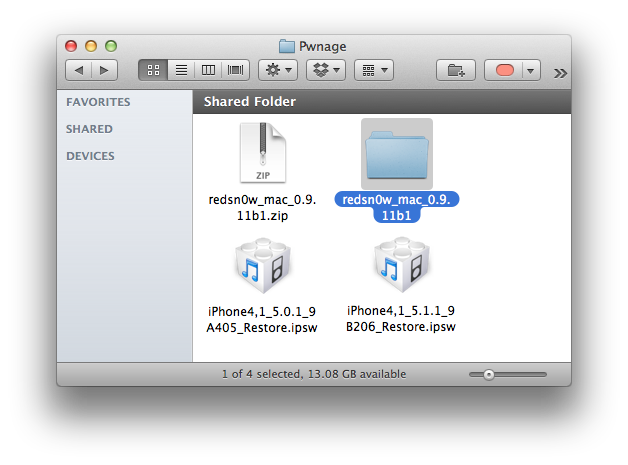
Create a folder called Pwnage on your desktop and download the following items into the folder.
- The latest version of RedSn0w Mac / Windows
- The current iOS firmware (iOS 5.1.1)
- The older firmware you want to downgrade to (iOS 5.0.1)
Double click the RedSn0w archive to extract it.
Thursday, May 10, 2012
GEVEY Ultra S Can Unlock GSM iPhone 4S on iOS 5.1.1
Apple N Berry has announced that the Gevey Ultra S can unlock your GSM iPhone 4S on iOS 5.1.1.
Good news! If you are currently using GEVEY Ultra S GSM to unlock your GSM iPhone 4S on iOS 5.1, you CAN upgrade to iOS 5.1.1
Overview:The GEVEY Ultra S GSM unlocks your GSM iPhone 4S. It's a true plug-and-play unlock for GSM iPhone 4S running iOS 5.0, 5.0.1, 5.1 and 5.1.1. The GEVEY Ultra S is a thin microprocessor that sits between your network SIM card and the base-band hardware, allowing you to use your GSM iPhone 4S on all worldwide GSM networks.
You can purchase the GEVEY Ultra S from the link below for $39.99. Take a look at how to use it in our video below...
Good news! If you are currently using GEVEY Ultra S GSM to unlock your GSM iPhone 4S on iOS 5.1, you CAN upgrade to iOS 5.1.1
Overview:The GEVEY Ultra S GSM unlocks your GSM iPhone 4S. It's a true plug-and-play unlock for GSM iPhone 4S running iOS 5.0, 5.0.1, 5.1 and 5.1.1. The GEVEY Ultra S is a thin microprocessor that sits between your network SIM card and the base-band hardware, allowing you to use your GSM iPhone 4S on all worldwide GSM networks.
You can purchase the GEVEY Ultra S from the link below for $39.99. Take a look at how to use it in our video below...
Dashboard X is Now Available to Bring Widgets to Your iOS Device
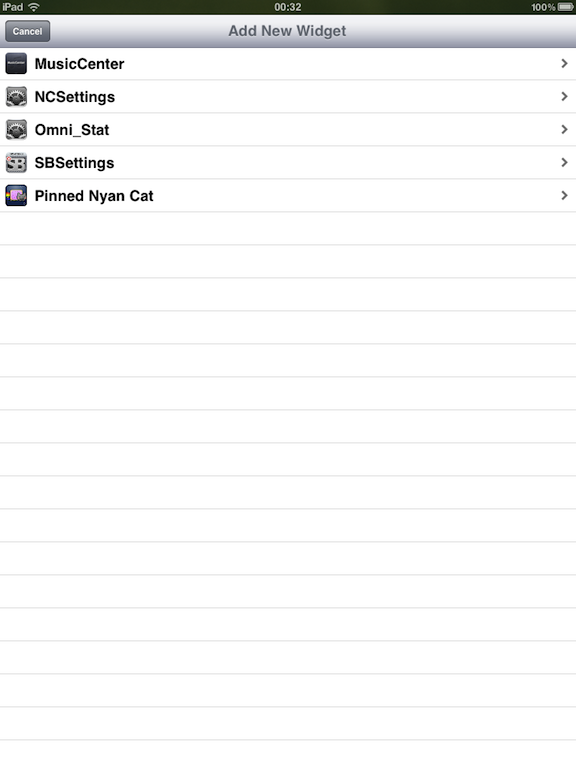
Dashboard X, a widget system for iOS, is now available in Cydia.
The new tweak by cjori works with existing notification center widgets and let's you place them on either the home screen or your dashboard!
Features:
● Full support for existing notification center widgets!
● Place widgets on either the home screen along with your icons or on your dashboard which you can invoke with Activator
● Move widgets around, place them wherever you want!
● Also works with Dashboard X exclusive widgets
You can purchase Dashboard X from the Cydia Store for $1.99.


The new tweak by cjori works with existing notification center widgets and let's you place them on either the home screen or your dashboard!
Features:
● Full support for existing notification center widgets!
● Place widgets on either the home screen along with your icons or on your dashboard which you can invoke with Activator
● Move widgets around, place them wherever you want!
● Also works with Dashboard X exclusive widgets
You can purchase Dashboard X from the Cydia Store for $1.99.


Tuesday, May 8, 2012
Python for iOS

View In iTunes
This app is designed for both iPhone and iPad
$2.99
Category: Productivity
Updated: Mar 14, 2012
Version: 1.3.1
Size: 17.0 MB
Language: English
Seller: Jonathan Hosmer
© 2012 Jonathan Hosmer
Rated 4+
Requirements: Compatible with iPhone, iPod touch, and iPad.Requires iOS 5.0 or later
© 2012 Jonathan Hosmer
Rated 4+
Requirements: Compatible with iPhone, iPod touch, and iPad.Requires iOS 5.0 or later
DOWNGRADE 5.1 to 5.0.1 iPHONE 4 without SHSH
How to downgrade iOS 5.1 to 5.0.1 without SHSH iPhone, iPod touch or iPad?

Downgrade 5.1 to 5.0.1 – iPhone 4, 3GS, iPod Touch 4G, 3G, iPad 2, 1 :
Required Downloads :
Download Host file
Download Sn0wbreeze for Windows
Download TinyUmbrella - Windows / Mac
FixRecovery
Download Redsn0w 0.9.10b6b for Windows / Mac
Download iFaith
Download iOS 5.0.1 for your iOS device
Download iTunes Windows / Mac
How to Downgrade 5.1 to 5.0.1 without SHSH blobs files Tutorial :
Step 1: You have to go to C:\Windows\System32\drivers\etc , and replace “HOST” file downloaded above.
Step 2: Open redsn0w and jailbreak your device, you can follow this tutorial - Click Here - but you have to point to iOS 5.0.1
Step 3: Then the iPhone will stop on the recovery mode.
Step 4: Open Tinyumbrella (can be found in “Restore Files” folder above), then click on your iPhone name at the left then press on Start TSS Server.
Step 5: Open iTunes and restore your iPhone with iOS 5.0.1 firmware (Shift + Restore) then close it.
Step 6: You will find error 1013, at this time you have to use Fixrecovery (can be found in “Restore Files” folder above).
Step 7: Open iFaith (downloaded above) and Save shsh file.
Step 8: Open sn0wbreeze (downloaded above) to create custom iOS 5.0.1 firmware and restore with it. Done.
UPDATED:
If you get 3194, 1600, 1602, 1013, 1015, 20 errors, you can fix it:
Downgrade 5.1 to 5.0.1 – iPhone 4, 3GS, iPod Touch 4G, 3G, iPad 2, 1 :
Required Downloads :
Download Host file
Download Sn0wbreeze for Windows
Download TinyUmbrella - Windows / Mac
FixRecovery
Download Redsn0w 0.9.10b6b for Windows / Mac
Download iFaith
Download iOS 5.0.1 for your iOS device
Download iTunes Windows / Mac
How to Downgrade 5.1 to 5.0.1 without SHSH blobs files Tutorial :
Step 1: You have to go to C:\Windows\System32\drivers\etc , and replace “HOST” file downloaded above.
Step 2: Open redsn0w and jailbreak your device, you can follow this tutorial - Click Here - but you have to point to iOS 5.0.1
Step 3: Then the iPhone will stop on the recovery mode.
Step 4: Open Tinyumbrella (can be found in “Restore Files” folder above), then click on your iPhone name at the left then press on Start TSS Server.
Step 5: Open iTunes and restore your iPhone with iOS 5.0.1 firmware (Shift + Restore) then close it.
Step 6: You will find error 1013, at this time you have to use Fixrecovery (can be found in “Restore Files” folder above).
Step 7: Open iFaith (downloaded above) and Save shsh file.
Step 8: Open sn0wbreeze (downloaded above) to create custom iOS 5.0.1 firmware and restore with it. Done.
UPDATED:
If you get 3194, 1600, 1602, 1013, 1015, 20 errors, you can fix it:
Monday, April 30, 2012
ល្មមដល់ពេលឈប់ប្រើ Windows ហើយ
ល្មមដល់ពេលឈប់ប្រើ Windows ហើយ ពីព្រោះឥឡូវនេះ Linux Operating System ឈានដល់កំរឹតមួយដែល អ្នកប្រើអាចទទួលយកបាន ទាំង Performance និង Stability ជាពិសេស Linux អាចដំណីរការកម្មវិធីជាច្រើនដែល Windows Runs. ហើយមានក្រាហ្វិចស្អាតនិងទាក់ទាញជាង Windows ទៅទៀត ជាពិសេស Linux មិនត្រូវបានរំខានដោយមេរោគទេ។
សូមមើលវិដេអូនេះដែលថតនូវ ការប្រើប្រាស់ របស់ FEDORA16 KDE 4.8.1
ពត័មានផ្សេងៗអំពី FEDORA សូមទៅកាន់គេហទំព័រ http://fedoraproject.org/
សូមមើលវិដេអូនេះដែលថតនូវ ការប្រើប្រាស់ របស់ FEDORA16 KDE 4.8.1
ពត័មានផ្សេងៗអំពី FEDORA សូមទៅកាន់គេហទំព័រ http://fedoraproject.org/
Saturday, April 28, 2012
How to Restore Your iPhone Unlock Ticket [SAM]
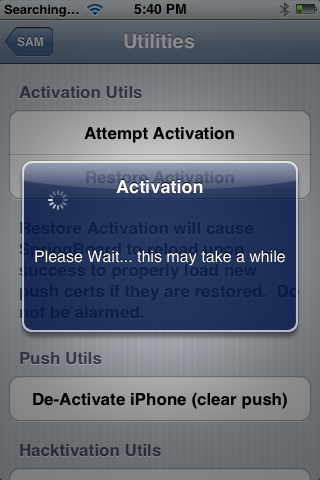
These are instructions on how to restore your iPhone unlock ticket obtained using the SAM unlock method.
To follow these instructions you will need to have the unlock ticket and iFile installed. You can get iFile from Cydia.
Step One
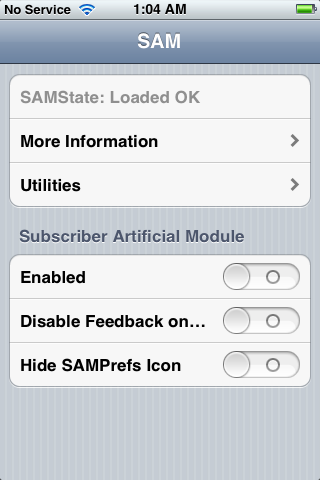
Insert your previously unlocked SIM card and make sure SAM is disabled in SAMPrefs.

To follow these instructions you will need to have the unlock ticket and iFile installed. You can get iFile from Cydia.
Step One
Insert your previously unlocked SIM card and make sure SAM is disabled in SAMPrefs.
Friday, April 27, 2012
Apple is Blocking the SAM Unlock, Backup Your Unlock Tickets!
Apple is currently in the process of blocking the SAM unlock, reports MuscleNerd. If you need to unlock a SIM or backup your unlock ticket do it now!
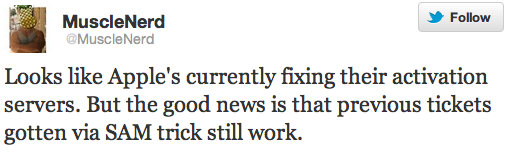
Looks like Apple's currently fixing their activation servers. But the good news is that previous tickets gotten via SAM trick still work.
what it boils down to is an incorrect assumption on the part of the ticket server, which is why it was so quick to fix
for the next few hours, trying SAM on new SIMs will probably be hit or miss, but eventually it will be all "miss"


Looks like Apple's currently fixing their activation servers. But the good news is that previous tickets gotten via SAM trick still work.
what it boils down to is an incorrect assumption on the part of the ticket server, which is why it was so quick to fix
for the next few hours, trying SAM on new SIMs will probably be hit or miss, but eventually it will be all "miss"
Subscribe to:
Posts (Atom)