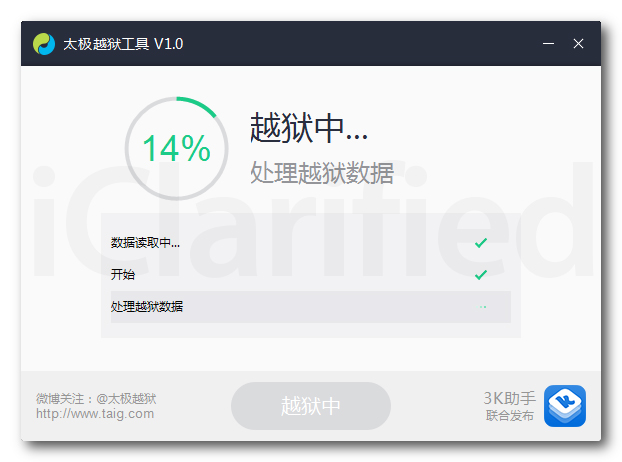
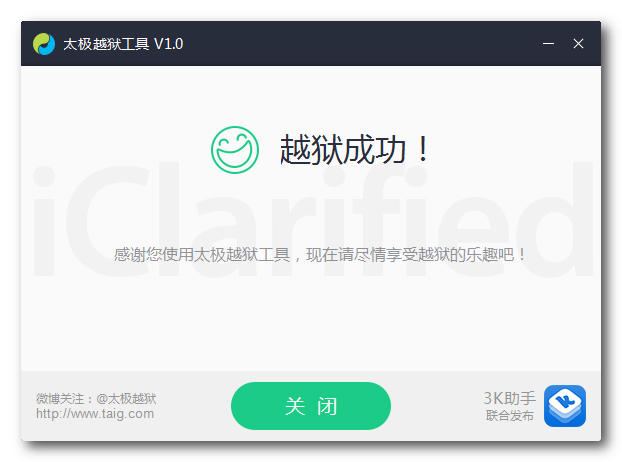
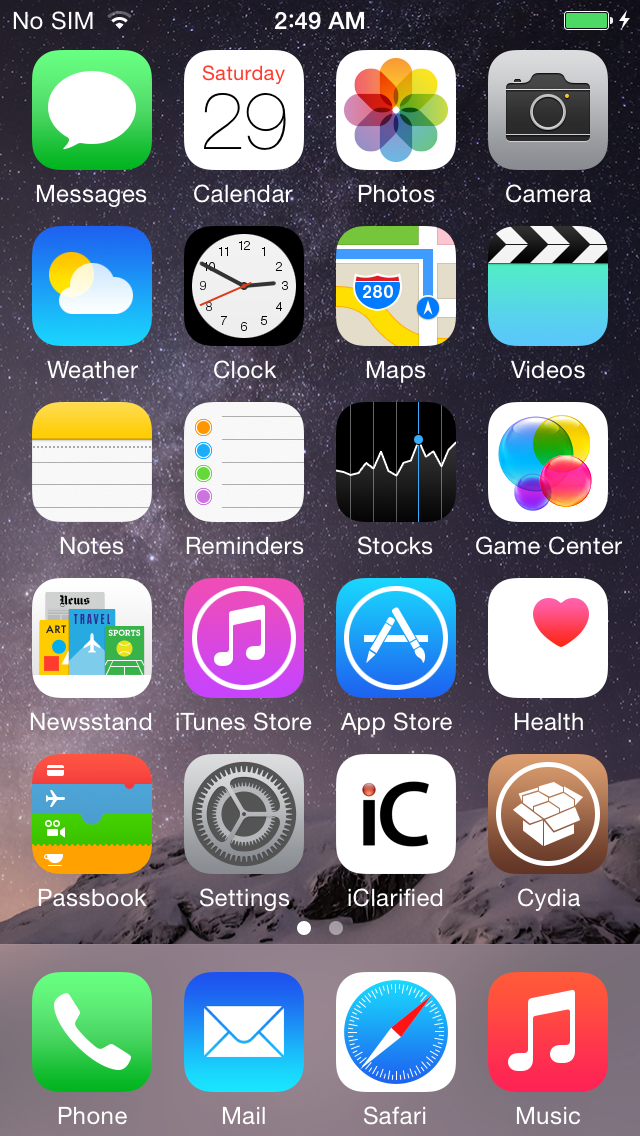
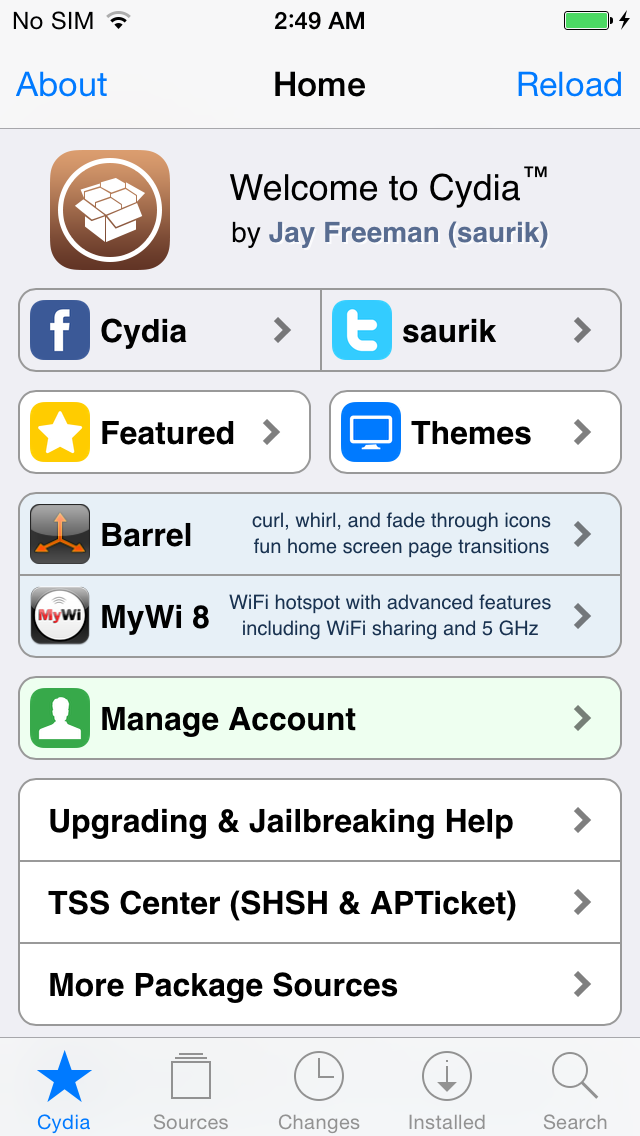
TaiG 2.2.1 has been released to fix a problem of security flaw, which actually means any installed app or tweak can be granted as root, and all your data will be compromised !! so they can fully access all your data.
So there are 2 options now for all the jailbreakers :
1. If you are going to jailbreak, make sure you download the latest version of TaiG which is more stable and security flaw fix.
2. If your iDevices already jailbroken, make sure you install this fix :
- Adding source : http://apt.taig.com to your Cydia
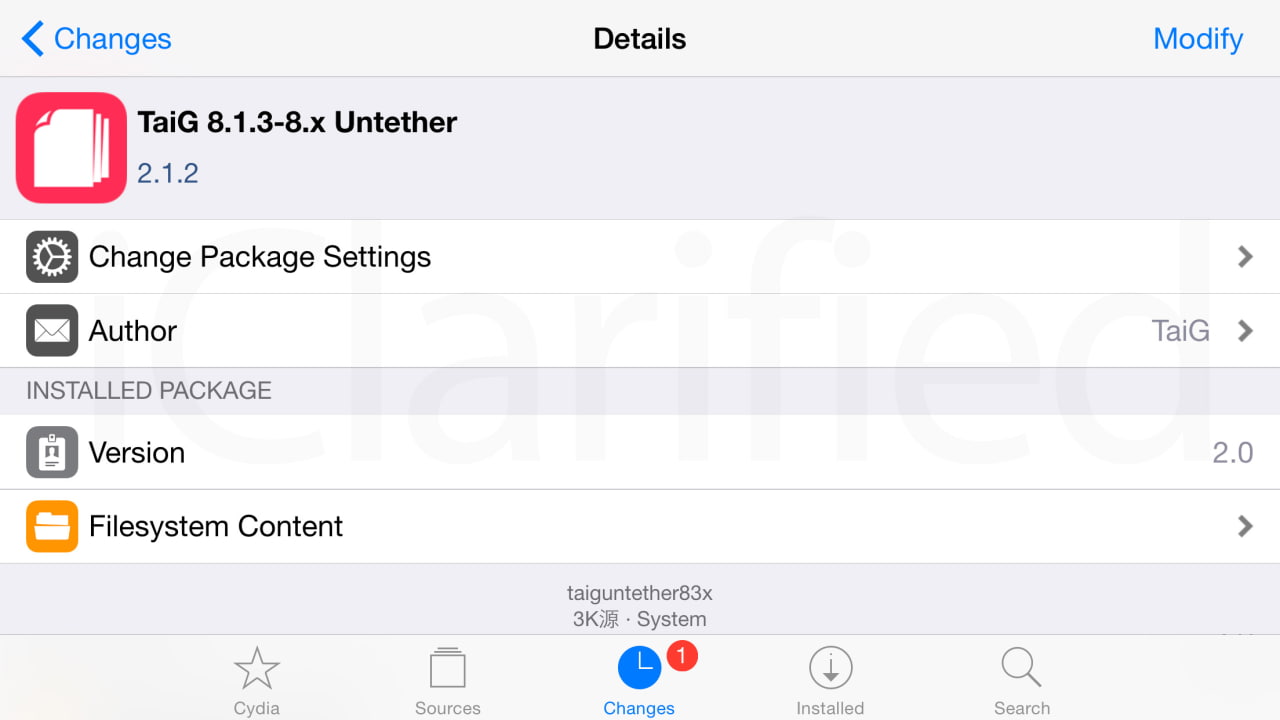
- Install TaiG 8.1.3-8.x Untether 2.2.1
Showing posts with label iJailbreakUnlock. Show all posts
Friday, July 3, 2015
Friday, June 26, 2015
TaiG has just released a fix TaiG 8.1.2-8.x untether 2.1.2 for Cydia substrate
TaiG has just released TaiG 8.1.2-8.x untether 2.1.2 in cydia to fix the problem of Cydia substrate which was not working after the jailbreak, for those of you who jailbroken, all you need to do is :
- run your cydia and add this source : http://apt.taig.com
- Update TaiG 8.1.2-8.x untether
- Reboot your device.... DONE !
- run your cydia and add this source : http://apt.taig.com
- Update TaiG 8.1.2-8.x untether
- Reboot your device.... DONE !
Tuesday, June 23, 2015
Sunday, March 22, 2015
TinyUmbrella is back with a hope of downgrading..
Semaphore is a dev of TinyUmbrella tools has just released a new beta tools which is allow to save SHSH blob (Firmware signature) of the current firmware 8.1.3 and 8.2 (AS LONG AS Apple still signing.)
For those of you who don't know that apple not allowing you to downgrade to any previous firmware which is keeping you from jailbreaking your iDevice on the possible firmware version. That is what TinyUmbrella comes to play.
The SHSH blob is very important to create a pre-signed firmware which is cooked by redsn0w which bypass the apple firmware signing.But unfortunately Apple has blocked this possibility from iPhone4s up to later devices.
But good news Semaphore has just mentioned that TinyUmbrella will become useful again. So while apple still signing 8.1.3 and 8.2 which is claimed to be able to jailbreak by TaiG and will be releasing by the end of this month, so don't loose this chance. SAVE SHSH BLOB for your iDEVICES NOW !!!
The instruction is simple : goto download TinyUmbrella http://blog.firmwareumbrella.com/
currently there are both mac and windows version, and after that just launch the tools and click on Fetch OTA for All, and stay tuned...
Note : The SHSH blobs are saved at the following location: ~/.tu/.shsh
For those of you who don't know that apple not allowing you to downgrade to any previous firmware which is keeping you from jailbreaking your iDevice on the possible firmware version. That is what TinyUmbrella comes to play.
The SHSH blob is very important to create a pre-signed firmware which is cooked by redsn0w which bypass the apple firmware signing.But unfortunately Apple has blocked this possibility from iPhone4s up to later devices.
But good news Semaphore has just mentioned that TinyUmbrella will become useful again. So while apple still signing 8.1.3 and 8.2 which is claimed to be able to jailbreak by TaiG and will be releasing by the end of this month, so don't loose this chance. SAVE SHSH BLOB for your iDEVICES NOW !!!
The instruction is simple : goto download TinyUmbrella http://blog.firmwareumbrella.com/
currently there are both mac and windows version, and after that just launch the tools and click on Fetch OTA for All, and stay tuned...
Note : The SHSH blobs are saved at the following location: ~/.tu/.shsh
Monday, March 2, 2015
Apple stop signing iOS 8.2 Beta 1 and Beta 2
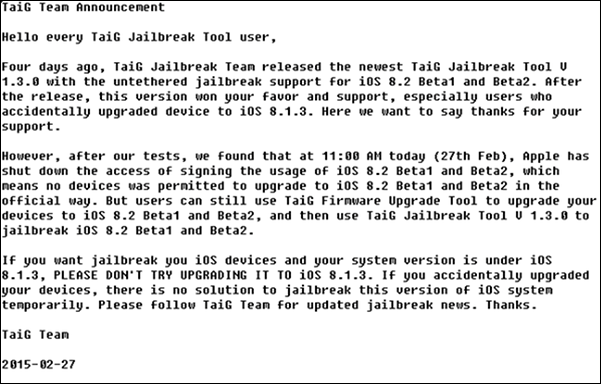
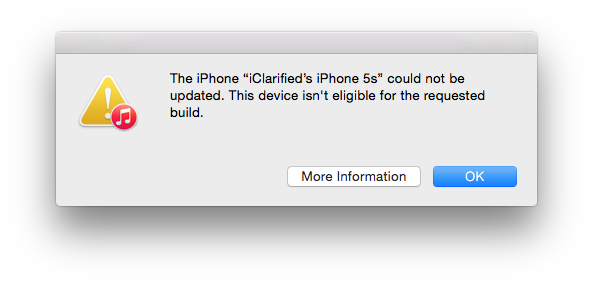
signing iOS 8.2 Beta 1 and Beta 2 now and will be releasing the final iOS 8.2 at any time, it means there is no way to upgrade to iOS 8.2 Beta 1&2 , so it is mean there is no possible way to get your iDevice Jailbroken IF your iDevice not yet running iOS 8.2 Beta 2. But it seems like a small chance if you are running iOS 8.1.3, look at what TaiG Team said :
Friday, February 27, 2015
Carrier Settings Update prompt.
You are probably prompted with the Carrier Settings Update. Actually it is safe to click on the update to fix the problem of the carrier setting itself, Anyway for those of you who use GPP Sim to unlock, you also free to update according to the GPP forum :
Q: I installed a new three networks dedicated patch NEW GPP, why will pop-up operators to update?
A: NEW GPP is crack update operators are not shielded carrier updates, update prompt will still pop up, but click update would not suffer carriers blocked, please rest assured.
Q: I installed a new three networks dedicated patch NEW GPP, why will pop-up operators to update?
A: NEW GPP is crack update operators are not shielded carrier updates, update prompt will still pop up, but click update would not suffer carriers blocked, please rest assured.
Wednesday, February 25, 2015
Jailbreak iOS 8.2 Beta 2.
Are you running iOS 8.1.3 and waiting for the jailbreak ?
And you heard that PP Jailbreak can only jailbreak iOS 8.1.2 downward, no THAT AIN'T TRUE !!
Actually Apple seeded the iOS 8.2 Beta 2 with no expiry, means you can running this beta2 forever. And fortunately PP Jailbreak can jailbreak the iOS 8.2 Beta 2.
But currently you cannot download the iOS 8.2 Beta 2 even if you have the developer Apple ID. and here is the link where you can try to download the correspond firmware the Beta 2 for your iDevices :
http://iosgods.com/topic/4781-ios-82-beta-2-jailbreak-tools-pp-helper-from-cn/
And follow this following instruction :
Step 1 : Click on Shift + Update (for Windows) or Option + Update (for Mac) and choose your downloaded firmware from the link above.
Step 2 : After done restored, make sure you turn on Air plane mode, turn off passcode and Touch ID, turn off find my iPhone in iCloud setting.
Step 3 : Download PP Jailbreak , and follow this video instruction
And you heard that PP Jailbreak can only jailbreak iOS 8.1.2 downward, no THAT AIN'T TRUE !!
Actually Apple seeded the iOS 8.2 Beta 2 with no expiry, means you can running this beta2 forever. And fortunately PP Jailbreak can jailbreak the iOS 8.2 Beta 2.
But currently you cannot download the iOS 8.2 Beta 2 even if you have the developer Apple ID. and here is the link where you can try to download the correspond firmware the Beta 2 for your iDevices :
http://iosgods.com/topic/4781-ios-82-beta-2-jailbreak-tools-pp-helper-from-cn/
And follow this following instruction :
Step 1 : Click on Shift + Update (for Windows) or Option + Update (for Mac) and choose your downloaded firmware from the link above.
Step 2 : After done restored, make sure you turn on Air plane mode, turn off passcode and Touch ID, turn off find my iPhone in iCloud setting.
Step 3 : Download PP Jailbreak , and follow this video instruction
Monday, February 23, 2015
iOS 8.1.3 Jailbreak expectation
With a new version of iOS 8.1.3 Apple has patched the exploit which is used by TaiG to jailbreak your iDevices.
For those of you who still want to get your iDevices Jailbroken, you need to stay where you are DO NOT upgrade to the current firmware 8.1.3
However TaiG said there's still be a possibility of jailbreaking iOS 8.1.3 and 8.2, and still in the progress and the tool is expecting to be released in April. So stay calm and be patient for those of you who running 8.1.3
For those of you who still want to get your iDevices Jailbroken, you need to stay where you are DO NOT upgrade to the current firmware 8.1.3
However TaiG said there's still be a possibility of jailbreaking iOS 8.1.3 and 8.2, and still in the progress and the tool is expecting to be released in April. So stay calm and be patient for those of you who running 8.1.3
Tuesday, December 2, 2014
Apple stop signing 8.1
Apple stop signing iOS 8.1 it means
. You are no longer be able to downgrade to any lower version than 8.1.1
. The chance of jailbreaking your iOS 8.1.1 is running out of time as soon as Apple release iOS 8.2 , so for those of you who are planning to jailbreak your iDevice you need to upgrade your device to iOS 8.1.1 right now which is being able to jailbreak by TaiG http://taig.com/ before Apple stops signing iOS 8.1.1
. You are no longer be able to downgrade to any lower version than 8.1.1
. The chance of jailbreaking your iOS 8.1.1 is running out of time as soon as Apple release iOS 8.2 , so for those of you who are planning to jailbreak your iDevice you need to upgrade your device to iOS 8.1.1 right now which is being able to jailbreak by TaiG http://taig.com/ before Apple stops signing iOS 8.1.1
Saturday, November 29, 2014
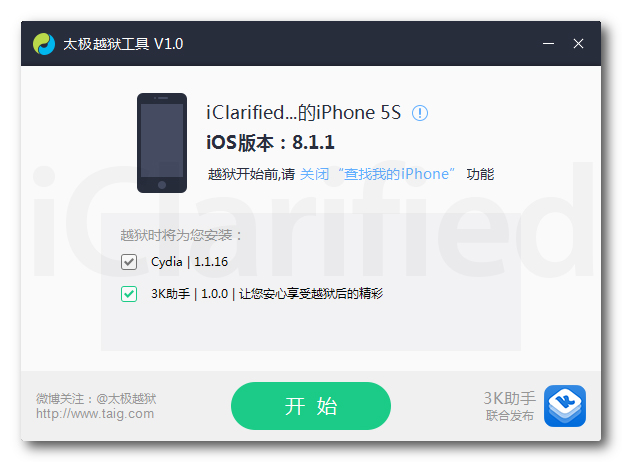
Jailbreak Tools for iOS 8.1.1 and 8.2 beta is released
Currently the jailbreak tool only available on windows system to get it done just follow this instruction :
1. Make sure your iDevice is running 8.1.1 if NOT you need to restore from iTunes and you have the latest iTunes
2. Make sure you TURN OFF your Touch ID, Passcode and find my iPhone in your setting
3. Download TaiG form this site http://www.taig.com/
4. Plug your iDevice to your windows + Launch TaiG
5. Once your iDevice has been detected in TaiG software you need to uncheck the bottom checkbox to prevent TaiG AppStore to be installed
6. Click on the green button to process the jailbreak
7. Obviously your iDevice is jailbroken once you see the Cydia on your springboard, Enjoy !!
1. Make sure your iDevice is running 8.1.1 if NOT you need to restore from iTunes and you have the latest iTunes
2. Make sure you TURN OFF your Touch ID, Passcode and find my iPhone in your setting
3. Download TaiG form this site http://www.taig.com/
4. Plug your iDevice to your windows + Launch TaiG
5. Once your iDevice has been detected in TaiG software you need to uncheck the bottom checkbox to prevent TaiG AppStore to be installed
6. Click on the green button to process the jailbreak
7. Obviously your iDevice is jailbroken once you see the Cydia on your springboard, Enjoy !!
Wednesday, November 5, 2014
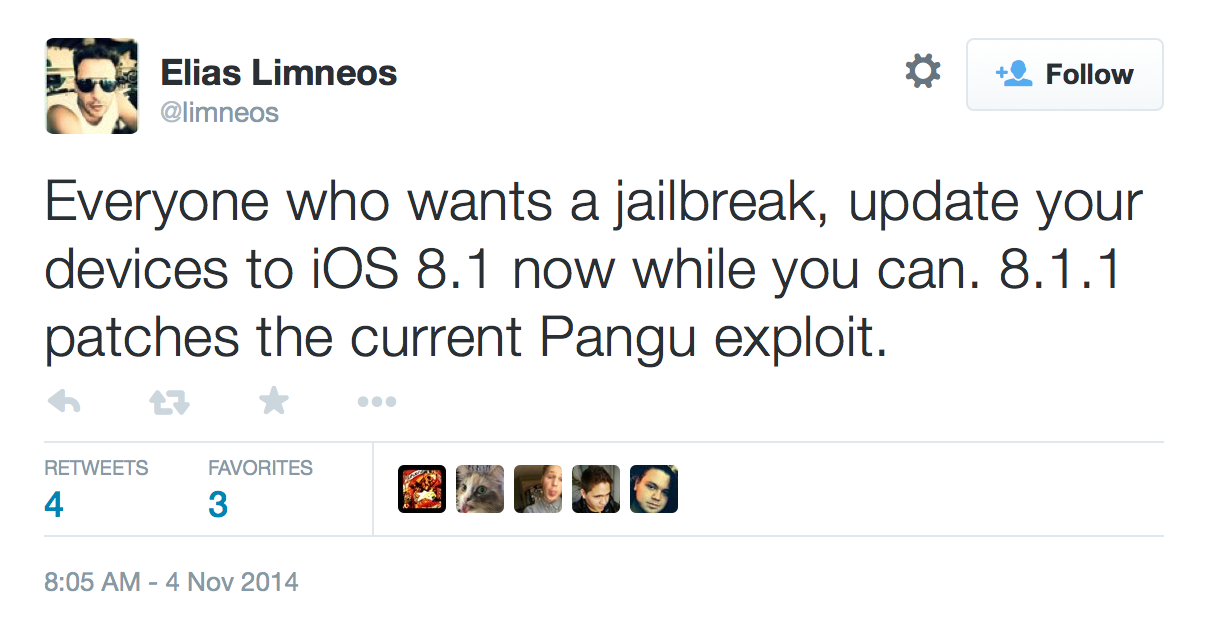
Warning : Your last chance to jailbreak iOS 8.x IS RUNNING OUT OF TIME QUITE SOON.
Apple has patched pangu jailbreak tool in iOS 8.1.1 and seeding this version to developers. It means once the iOS 8.1.1 is released then your chance to jailbreak iOS 8.x IS OVER IF YOU ARE NOT RUNNING iOS 8.0 - 8.1
BECAUSE ONCE iOS 8.1.1 is released then Apple will not allow you to restore the any previous versions 8.0 - 8.1, so i recommend you to restore the current version iOS 8.1 for the sake of your jailbroken iDevices.
And we don't know yet if Pangu team has another exploit for the iOS 8.1.1
BECAUSE ONCE iOS 8.1.1 is released then Apple will not allow you to restore the any previous versions 8.0 - 8.1, so i recommend you to restore the current version iOS 8.1 for the sake of your jailbroken iDevices.
And we don't know yet if Pangu team has another exploit for the iOS 8.1.1
Monday, November 3, 2014
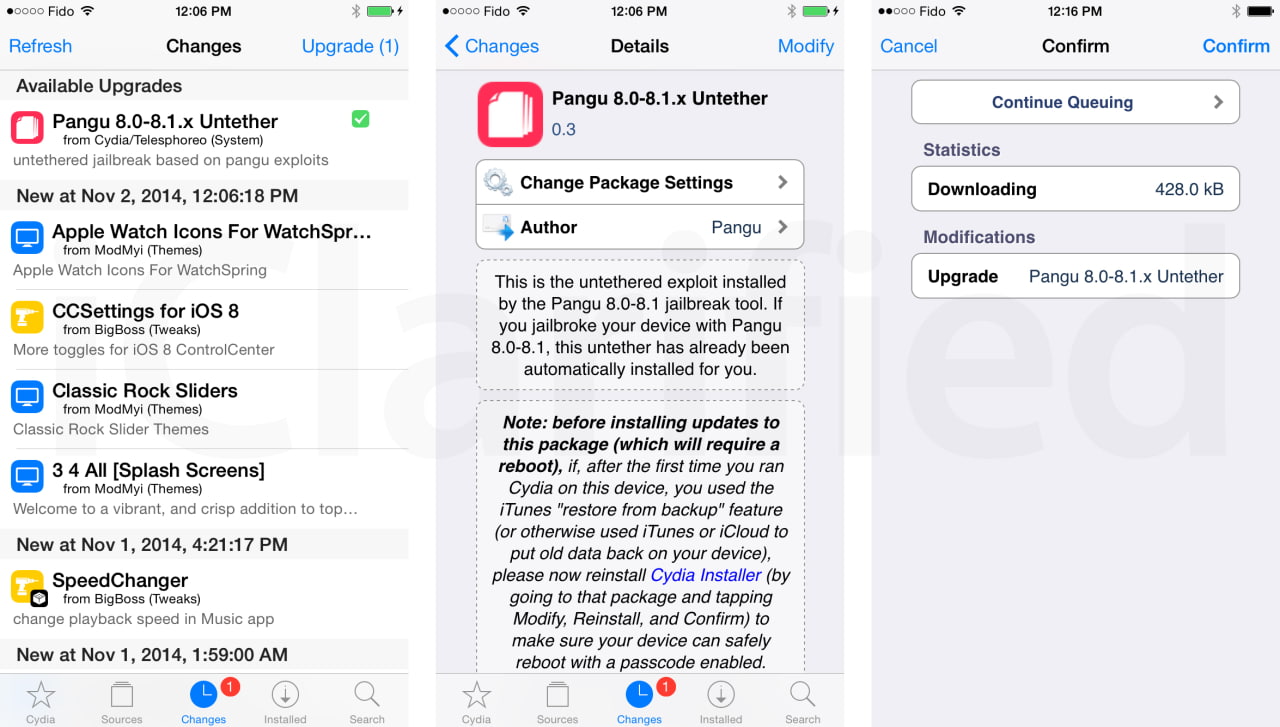
Pangu untether 0.3 has been released
Pangu untether 0.3 has been released with a fix of many background process which is running in the background which making your iDevices getting hot and battery drainning dramatically.
For those of you who already jailbreak, all you need to do is just go to cydia and update Pangu 8.0-8.1.x Untethere to version 0.3
Friday, October 31, 2014
Jailbreak iOS8 - 8.x with Pangu
Pangu has just released a version to untethered jailbreak iOS8.x with a possibility to install Cydia, which is supported with these following devices :
iPhone 6, iPhone 6 Plus, iPhone 5s, iPhone 5c, iPhone 5, iPhone 4S
iPad Air, iPad 4, iPad 3, iPad 2
iPad mini, Retina iPad mini
iPod touch 5G
And before jailbreaking you should backup your iDevices, update iTunes to the latest one, go to setting > Passcode Lock on > Turn Passcode off
And follow these steps :
Step 1 : Download Pangu from www.pangu.io
Step 2 : Download your firmware from this link http://iblogipple.blogspot.com/2011/05/all-firmwares-available-for-iphone.html
Step 3 : Launch iTunes > Connect your iDevice to your iTunes > Back up your iDevices > Shift + Restore (Windows) Option + Restore (Mac) > Select your firmware which you downloaded in Step 2 > Wait till the restoration finished.
Step 4 : Go to disable Passcode and Find my iPhone in your setting.
Step 5 : Go to pangu which you downloaded in Step 1, right click and choose " Run as administrator"
Step 6 : You should see this screen
Step 7 : Uncheck the check box and clik on the blue botton and waiting till the process is finished, nomarlly it takes from 5 to 10 minutes, after that you should see the pangu app on your springboard
Step 8 : Click on Pangu app and install cydia from there.
Enjoy !!
iPhone 6, iPhone 6 Plus, iPhone 5s, iPhone 5c, iPhone 5, iPhone 4S
iPad Air, iPad 4, iPad 3, iPad 2
iPad mini, Retina iPad mini
iPod touch 5G
And before jailbreaking you should backup your iDevices, update iTunes to the latest one, go to setting > Passcode Lock on > Turn Passcode off
And follow these steps :
Step 1 : Download Pangu from www.pangu.io
Step 2 : Download your firmware from this link http://iblogipple.blogspot.com/2011/05/all-firmwares-available-for-iphone.html
Step 3 : Launch iTunes > Connect your iDevice to your iTunes > Back up your iDevices > Shift + Restore (Windows) Option + Restore (Mac) > Select your firmware which you downloaded in Step 2 > Wait till the restoration finished.
Step 4 : Go to disable Passcode and Find my iPhone in your setting.
Step 5 : Go to pangu which you downloaded in Step 1, right click and choose " Run as administrator"
Step 6 : You should see this screen
Step 7 : Uncheck the check box and clik on the blue botton and waiting till the process is finished, nomarlly it takes from 5 to 10 minutes, after that you should see the pangu app on your springboard
Step 8 : Click on Pangu app and install cydia from there.
Enjoy !!
Tuesday, December 31, 2013
Whited00r 7 brings iOS 7’s new look to older devices
Whited00r 7 brings the look and feel of iOS7 to older devices no longer supported by Apple. Our firmware has been engineered to replicate iOS7 down to the smallest detail. Whited00r’s first priority is speed. None of the modifications Whited00r makes to your device will slow it down.
Some of Whited00r 7’s features:
Multitasking with a card-based interface:

Control Center

iOS 7 like Push Notifications.

For the entire feature list, visit this page.
Whited00r 7 is compatible with the following devices:
iPhone 2G
iPhone 3G
iPod touch 1G
iPod touch 2G
If you’re interested, you can see the installation instructions here. Note that Whited00r is completely unofficial, so proceed with caution.
Some of Whited00r 7’s features:
Multitasking with a card-based interface:

Control Center

iOS 7 like Push Notifications.

For the entire feature list, visit this page.
Whited00r 7 is compatible with the following devices:
iPhone 2G
iPhone 3G
iPod touch 1G
iPod touch 2G
If you’re interested, you can see the installation instructions here. Note that Whited00r is completely unofficial, so proceed with caution.
Saurik Releases Cydia Substrate 0.9.5000 With Support for iOS 7 and the iPhone 5s
Saurik has just released Mobile Substrate 0.9.5000 now which is fully supported with iOS7 and the iPhone 5s. So hit cydia and update all the updates in changes tab. Everything should be fine now.. for font khmer you can reinstall the font and keyboard.
Friday, December 27, 2013
Khmer font, keyboard for iOS7 on iPAD
. Browse this link on your safari www.4khmeriphone.com/ios7
. Add source to your cydia 4khmeriphone.com/sp
. Install iOS 7+ 5Rows keyboard for iPad
. Respring..
. Done
. Add source to your cydia 4khmeriphone.com/sp
. Install iOS 7+ 5Rows keyboard for iPad
. Respring..
. Done
Khmer font, keyboard for iOS7 on iPhone
. Install iOS 7+ 5rows keyboard for iPhone.
If you see thai keyboard instead, then try this following :
. remove the keyboard and font from cydia
. Install iFile from Cydia
. Use iFile to delete /var/mobile/Library/Caches/com.apple.keyboards
. Reinstall Mobile Substrate
. Re-install iOS 7+ 5rows for iPhone
Sunday, December 22, 2013
Tuesday, November 5, 2013
Install khmer font for iOS 7.x.x without Jailbreak
1. Open your safari and browse the link
http://4khmeriphone.com/ios7
2. The link will prompt you to the installation, just click install
3. Reboot. Enjoy !
http://4khmeriphone.com/ios7
2. The link will prompt you to the installation, just click install
3. Reboot. Enjoy !
Wednesday, October 23, 2013
Subscribe to:
Posts (Atom)