iDock


Tuesday, January 17, 2012

Monday, January 16, 2012
How to enable FaceTime on iPhone4 in unsupported country.

Both the hacks available on the Cydia App Store will enable FaceTime in unsupported countries like UAE, Qatar and Saudi Arabia.Basically face time is limited in some countries, if your country is not eligible then try this hack :
- Goto Cydia
- Add this repo : http://apps.iphoneislam.com
- Install middlewhat
- After successfully installed, reboot your iPhone
- Go to setting to enable face time, then enjoy your face time.
if the above hack does not work, try this alternative :
- Go to Cydia
- Install FaceTime Hacktivator
- Reboot
- Goto enable face time toggle in setting > phone.
[Crack] Zephyr 1.0.2-1

Update : Version 1.0.2-1 released ! Crack is out !!
v 1.0.2
Select which apps to disable Zephyr in. (thanks @rpetrich!)
Move all preferences to be per-gesture, rather than global.
Download 1.0.2-1 Cracked : Official
Zephyr is awesome multitasking swipes for your device.
Smoothly swipe up to see your multitasking switcher.
Switch apps simply by swiping left or right from the edge.
The best way to really multitask.
Zephyr fully supports iOS 5.

[Crack] ProTube 1.2

Download 1.2 Cracked : Official
Compatible with iOS 4 and iOS 5
How Apple's YouTube app really should be.
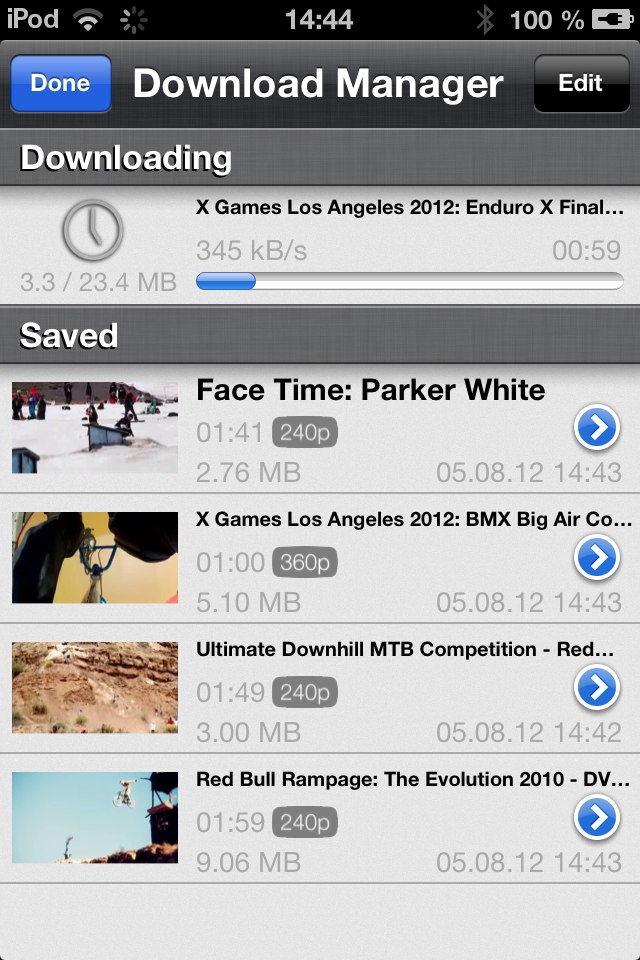
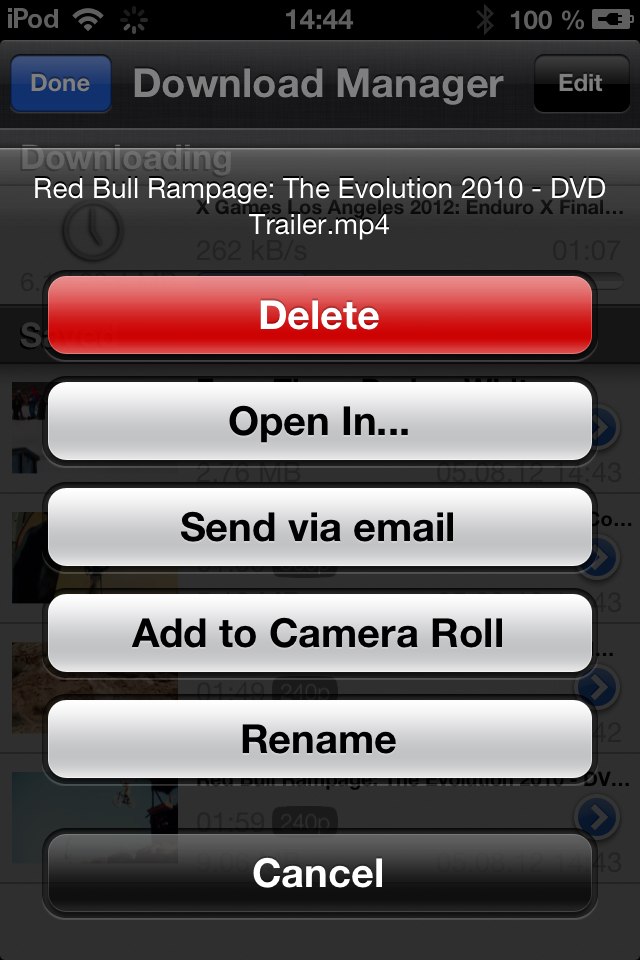
ProTube is a complete YouTube application with tons of advantages over Apple's YouTube app. In ProTube you can browse normally through YouTube, watch videos in HD or SD, manage your account, comment etc. Also you can download an unlimited amount of YouTube videos and watch them offline. Just the mp3 audio can be downloaded too, so you can listen to songs whenever you want. Downloaded files are displayed in a beautiful interface showing size, date length and a thumbnail. Saved videos/mp3's can be renamed, deleted and sent by email. Downloading video/audio shows progress, speed and remaining time and can be interrupted. ProTube blocks annoying ads which makes loading even faster. Simultaneous downloads are supported limitless. AirPlay is supported so you can stream video to your TV. Full Portrait and Landscape orientation support



Thursday, January 5, 2012
Untethered Jailbreak iOS 5.0.1
Step One
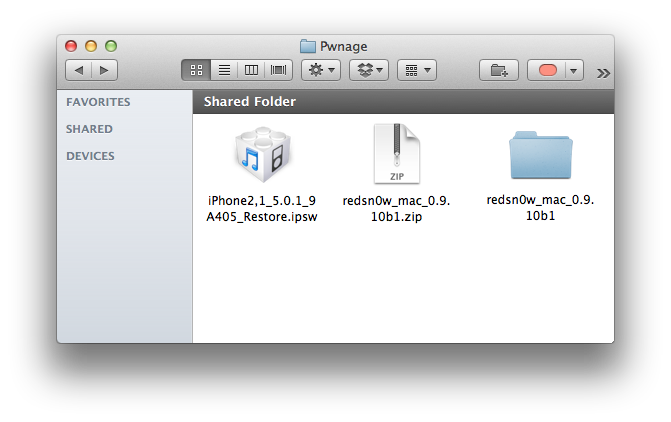
Create a folder on your desktop called Pwnage
Download the latest RedSn0w from mac Widows and place it in the Pwnage folder. Likewise, download the 5.0.1 firmware from 3GS iPhone4 GSM iPhone4 CDMA and place it in the Pwnage folder.
Extract the RedSn0w zip file by double clicking it.

Step Two: (Skip this step if you're on iOS 5.0.1 already)
Connect your iPhone to the computer and launch iTunes.

Select your iPhone from the list of devices on the left. Now hold down Option and click theRestore button. Restore is preferred as it won't create any wasted space on your iPhone.

Navigate to the Pwnage folder on your desktop and select the 5.0.1 firmware ipsw. Click theChoose button to continue.

iTunes will now update your iPhone to the new firmware.
Step Three
Launch the redsn0w application from the redsn0w folder we extracted earlier.

Step Four
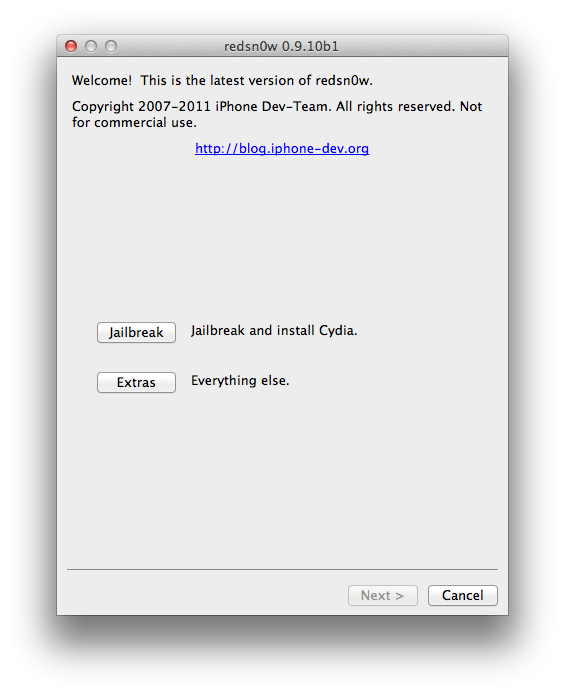
Once RedSn0w opens click the Extras button

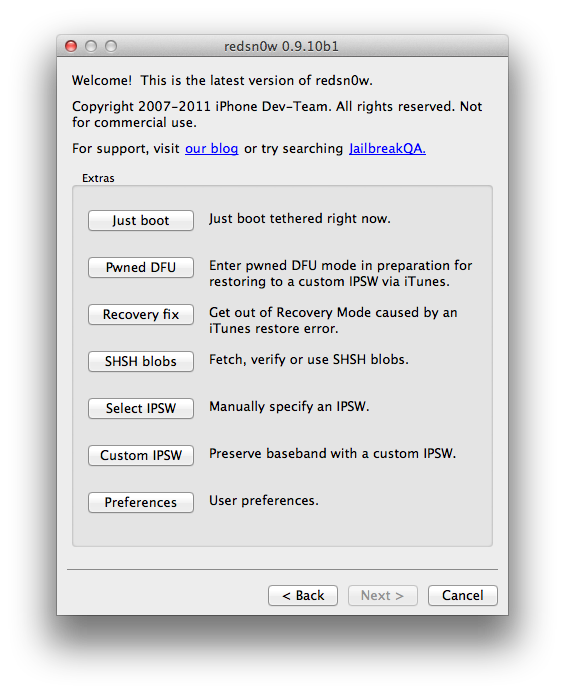
Choose Select IPSW from the Extras menu.

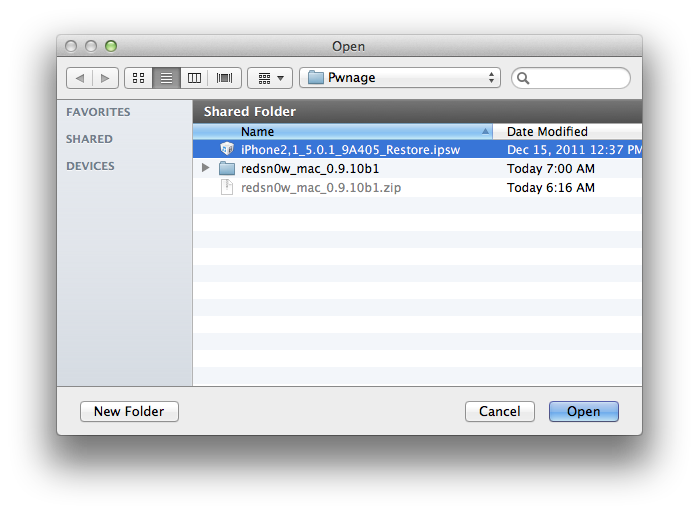
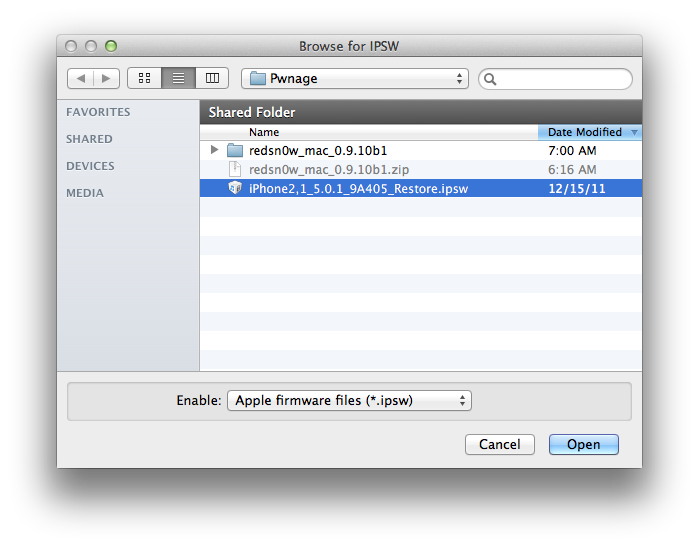
Select the iOS 5.0.1 firmware ipsw from Pwnage folder on your desktop and click Open.

Click OK to dismiss the confirmation window.

When asked tell RedSn0w whether you have a new model or older model of the iPhone 3GS then click the the Back button.

Press the Jailbreak button to continue.
Step Five
Plug your iPhone into the computer and make sure its OFF then click the Next button

Step Six
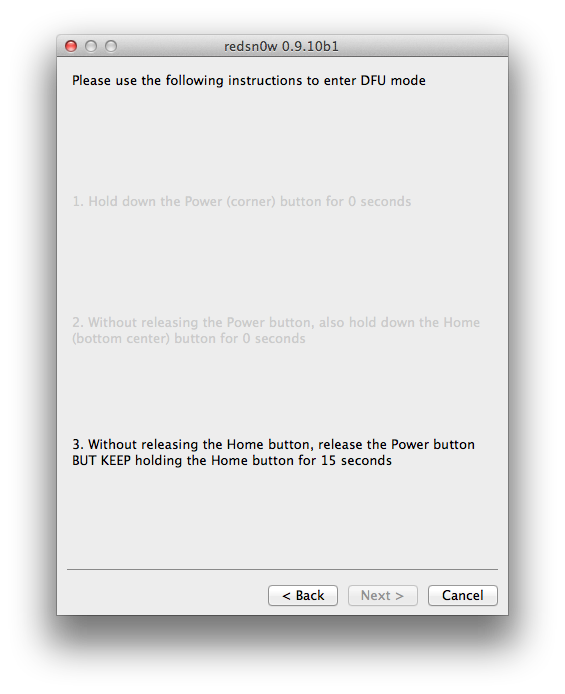
RedSn0w will now guide you through the steps to get into DFU mode. You can find more help with DFU mode here

Hold down both the Home button and the Power button for 10 seconds.

Release the Power button and continue holding the Home button until RedSn0w detects the device.

Step Seven
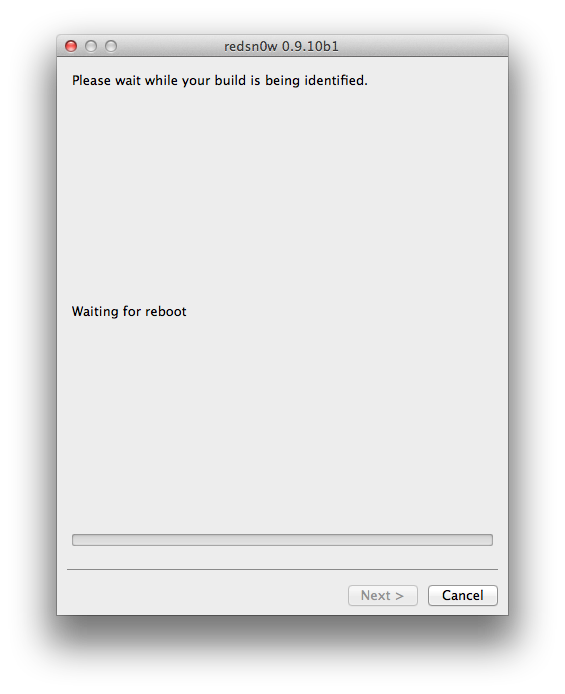
Your iPhone will now reboot

Step Eight
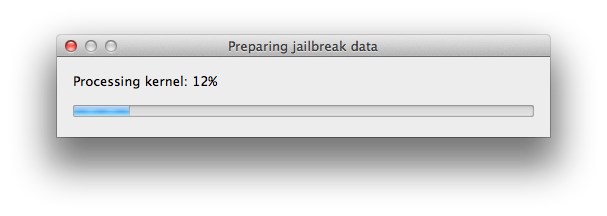
RedSn0w will prepare the jailbreak data.

Step Nine
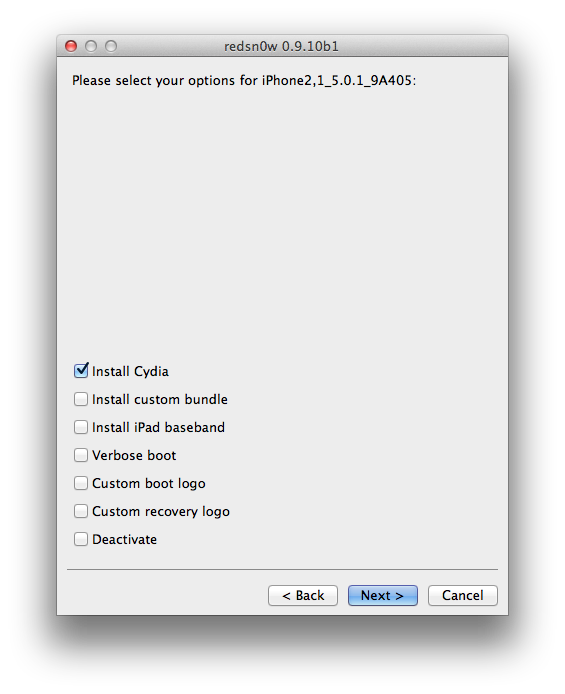
Select Cydia from the list of options and click Next.

Step Ten
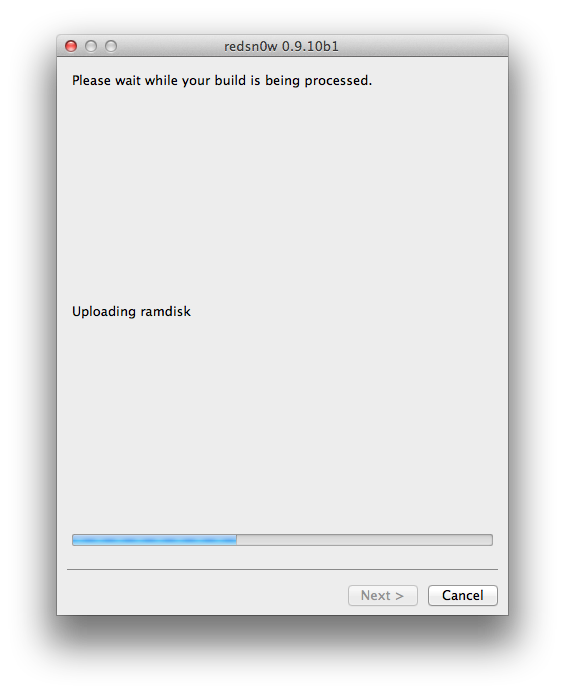
Your iPhone will now be rebooted again and RedSn0w will begin uploading the new RAM Disk and Kernel.

Step Eleven
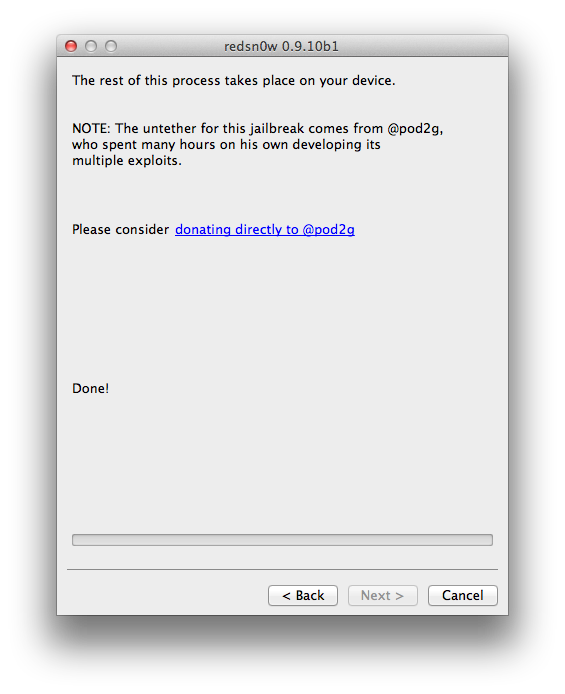
Once this is complete you will be notified that RedSn0w is done. When your iPhone finishes rebooting (5 minutes or so) it will be jailbroken with Cydia on the SpringBoard.

*As usual a big thanks to the iPhone Dev-Team, Chronic Dev-Team, pod2g, and Geohot for their hard work and contribution to the iPhone community.
Create a folder on your desktop called Pwnage
Download the latest RedSn0w from mac Widows and place it in the Pwnage folder. Likewise, download the 5.0.1 firmware from 3GS iPhone4 GSM iPhone4 CDMA and place it in the Pwnage folder.
Extract the RedSn0w zip file by double clicking it.
Step Two: (Skip this step if you're on iOS 5.0.1 already)
Connect your iPhone to the computer and launch iTunes.
Select your iPhone from the list of devices on the left. Now hold down Option and click theRestore button. Restore is preferred as it won't create any wasted space on your iPhone.
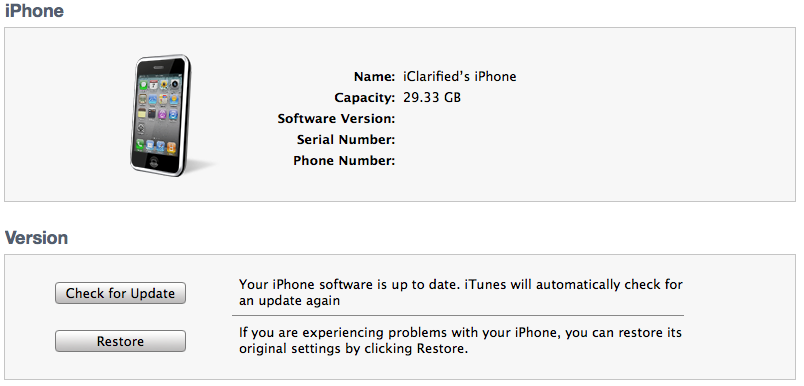
Navigate to the Pwnage folder on your desktop and select the 5.0.1 firmware ipsw. Click theChoose button to continue.
iTunes will now update your iPhone to the new firmware.
Step Three
Launch the redsn0w application from the redsn0w folder we extracted earlier.
Step Four
Once RedSn0w opens click the Extras button
Choose Select IPSW from the Extras menu.
Select the iOS 5.0.1 firmware ipsw from Pwnage folder on your desktop and click Open.
Click OK to dismiss the confirmation window.
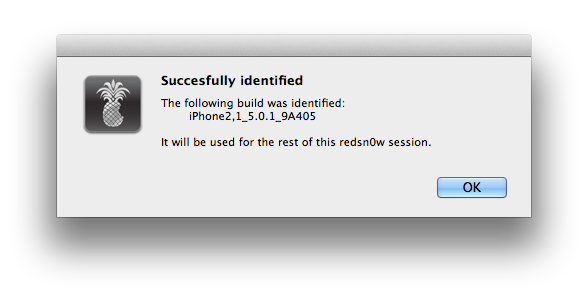
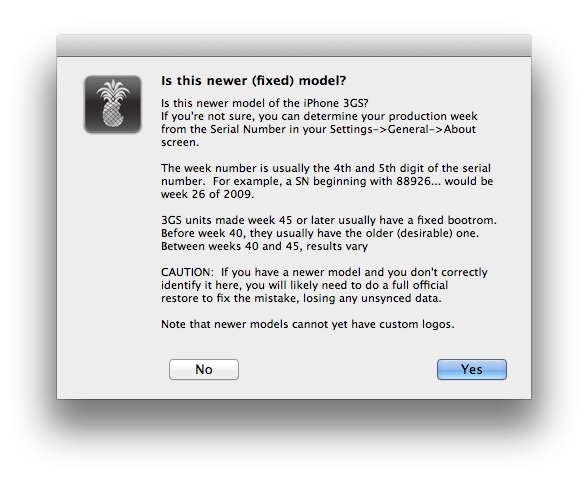
When asked tell RedSn0w whether you have a new model or older model of the iPhone 3GS then click the the Back button.
Press the Jailbreak button to continue.
Step Five
Plug your iPhone into the computer and make sure its OFF then click the Next button
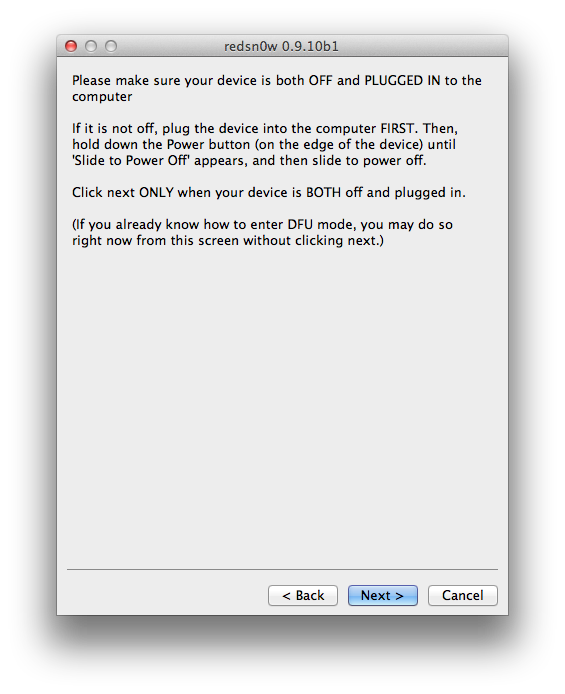
Step Six
RedSn0w will now guide you through the steps to get into DFU mode. You can find more help with DFU mode here
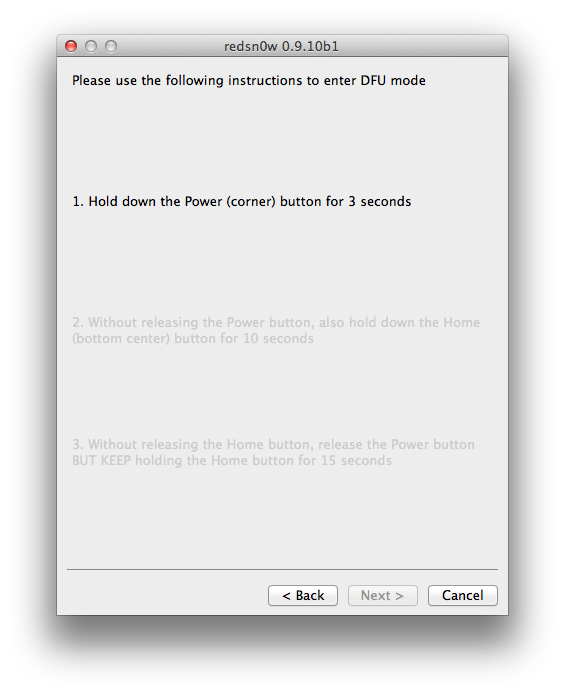
Hold down both the Home button and the Power button for 10 seconds.
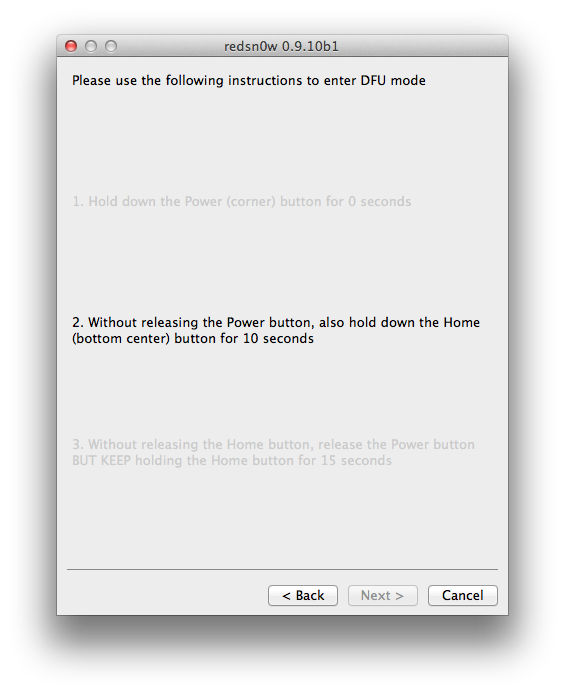
Release the Power button and continue holding the Home button until RedSn0w detects the device.
Step Seven
Your iPhone will now reboot
Step Eight
RedSn0w will prepare the jailbreak data.
Step Nine
Select Cydia from the list of options and click Next.
Step Ten
Your iPhone will now be rebooted again and RedSn0w will begin uploading the new RAM Disk and Kernel.
Step Eleven
Once this is complete you will be notified that RedSn0w is done. When your iPhone finishes rebooting (5 minutes or so) it will be jailbroken with Cydia on the SpringBoard.
*As usual a big thanks to the iPhone Dev-Team, Chronic Dev-Team, pod2g, and Geohot for their hard work and contribution to the iPhone community.
Subscribe to:
Posts (Atom)