iDock

iSteve

R.I.P STEVE JOBS 1955-FOREVER [PHYSICALLY GONE, MENTALLY STAYED.] THANK YOU STEVE FOR BRINGING THOSE GENIUS iDEVICES AND TURNING THE WORLD INTO THE COLORFUL GLOBE AND YOU'RE FOREVER MISSED.

Wednesday, November 5, 2014

Warning : Your last chance to jailbreak iOS 8.x IS RUNNING OUT OF TIME QUITE SOON.

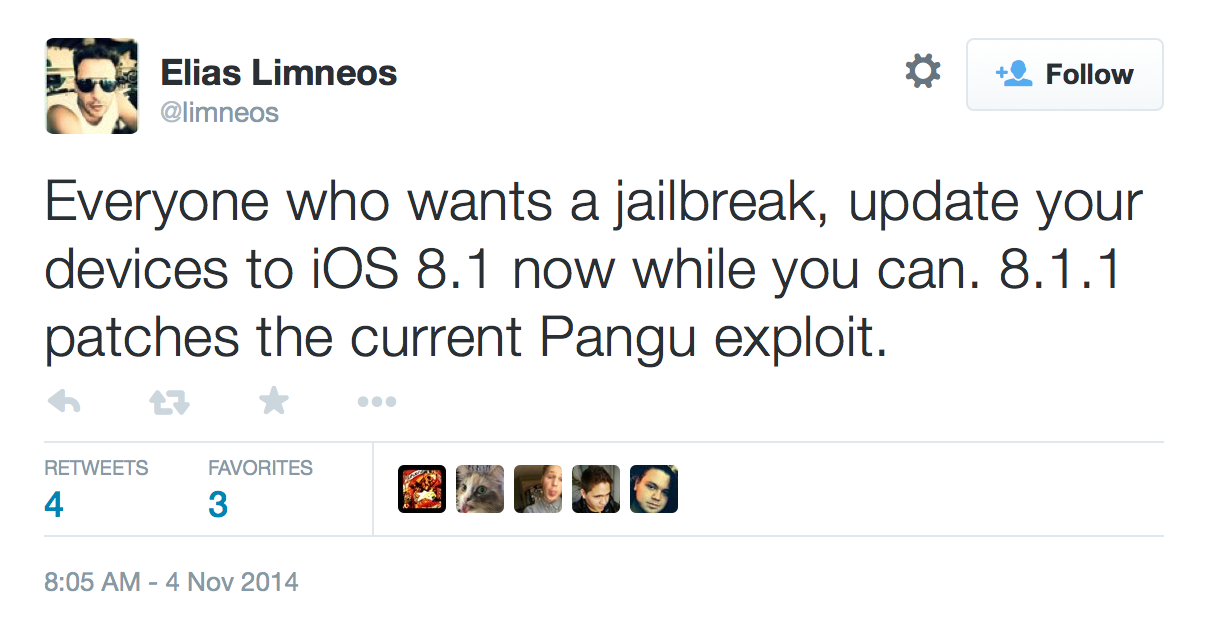
Apple has patched pangu jailbreak tool in iOS 8.1.1 and seeding this version to developers. It means once the iOS 8.1.1 is released then your chance to jailbreak iOS 8.x IS OVER IF YOU ARE NOT RUNNING iOS 8.0 - 8.1

BECAUSE ONCE iOS 8.1.1 is released then Apple will not allow you to restore the any previous versions 8.0 - 8.1, so i recommend you to restore the current version iOS 8.1 for the sake of your jailbroken iDevices.
And we don't know yet if Pangu team has another exploit for the iOS 8.1.1

Monday, November 3, 2014

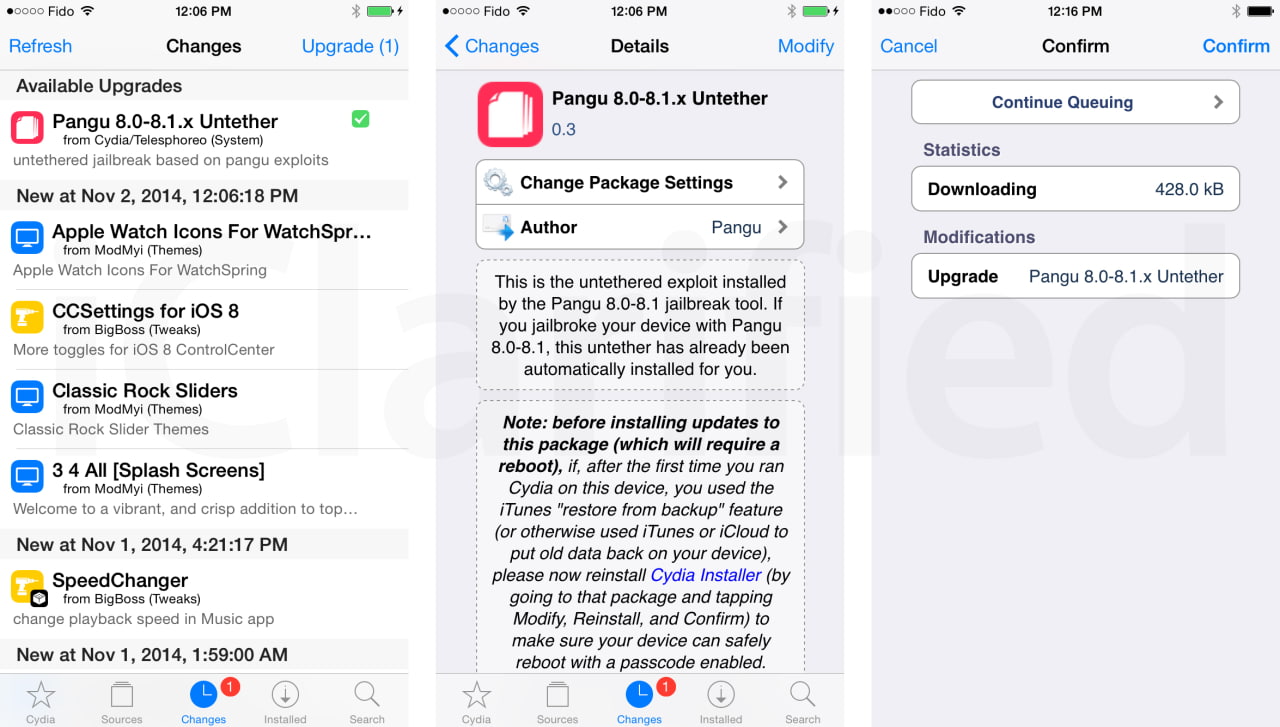
Pangu untether 0.3 has been released

Pangu untether 0.3 has been released with a fix of many background process which is running in the background which making your iDevices getting hot and battery drainning dramatically.

For those of you who already jailbreak, all you need to do is just go to cydia and update Pangu 8.0-8.1.x Untethere to version 0.3

Saturday, November 1, 2014

Khmer Smart Keyboard for iOS8

Khmer Smart Keyboard is the best khmer keyboard for the iOS8.x and you can find it on the AppStore for free.

Its way of usage is very simple and useful with these following :


. To delete a character you just simply swipe to the left on your keyboard
. To change keyboard layout just swipe to the right on your keyboard.
. Swipe down on a key to choose the lower one character on the keypad
. Swipe up on a key to choose another character on the other keyboard layout


Note : Don't forget to swipe left, right, up and down on a key, it makes differences.!!!

ReachAll Cydia Tweak

The new iOS 8 has brought the new feature called Reachability and the feature can be triggered by double tap on your touch-id home button to slide down your screen for the reach of your thumb which is only available for the iPhone5s, iPhone6 and 6+ , however there is a possibility to bring this feature to all the jailbroken iDevices with the iOS 8.x by a tweak called ReachAll.

The instruction is simple just go to cydia and install the tweak ReachAll, after the installation you can find its setting to configure the action to trigger the feature in the setting.

Note : for the jailbroken iOS7 you can try Reachability7

Friday, October 31, 2014

Jailbreak iOS8 - 8.x with Pangu

Pangu has just released a version to untethered jailbreak iOS8.x with a possibility to install Cydia, which is supported with these following devices :

iPhone 6, iPhone 6 Plus, iPhone 5s, iPhone 5c, iPhone 5, iPhone 4S
iPad Air, iPad 4, iPad 3, iPad 2
iPad mini, Retina iPad mini
iPod touch 5G

And before jailbreaking you should backup your iDevices, update iTunes to the latest one, go to setting > Passcode Lock on > Turn Passcode off


And follow these steps :

Step 1 : Download Pangu from www.pangu.io

Step 2 : Download your firmware from this link http://iblogipple.blogspot.com/2011/05/all-firmwares-available-for-iphone.html

Step 3 : Launch iTunes > Connect your iDevice to your iTunes > Back up your iDevices > Shift + Restore (Windows) Option + Restore (Mac) > Select your firmware which you downloaded in Step 2 > Wait till the restoration finished.

Step 4 : Go to disable Passcode and Find my iPhone in your setting.

Step 5 : Go to pangu which you downloaded in Step 1, right click and choose " Run as administrator"

Step 6 : You should see this screen 


Step 7 : Uncheck the check box and clik on the blue botton and waiting till the process is finished, nomarlly it takes from 5 to 10 minutes, after that you should see the pangu app on your springboard


Step 8 : Click on Pangu app and install cydia from there.

Enjoy !!

Thursday, October 30, 2014

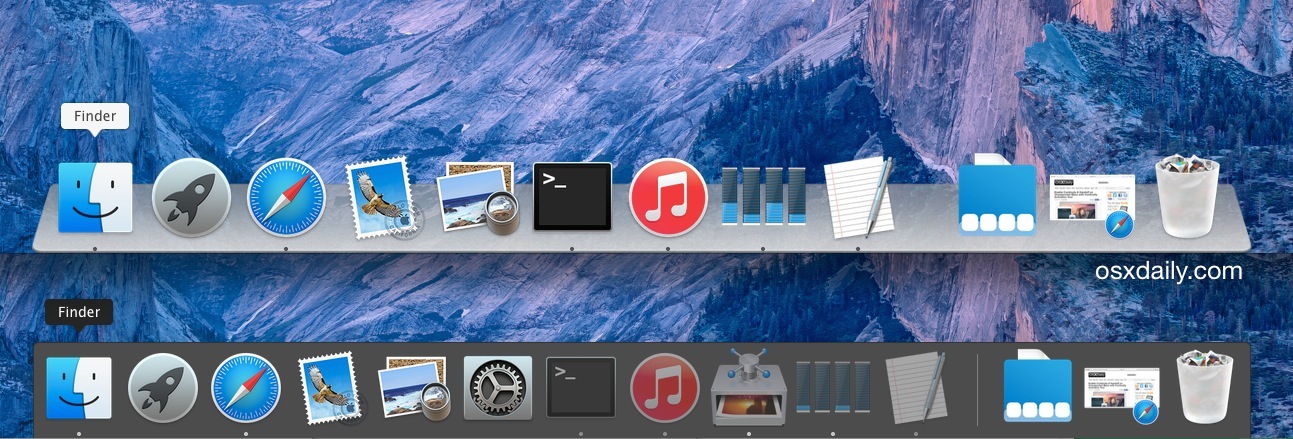
Turn 3D effect on Yosemite Dock


1. Get CDock for free from Source Forget (click the green download button)
2. Unzip the app you’ll need to right-click and choose to “Open” to circumvent Gatekeeper restrictions
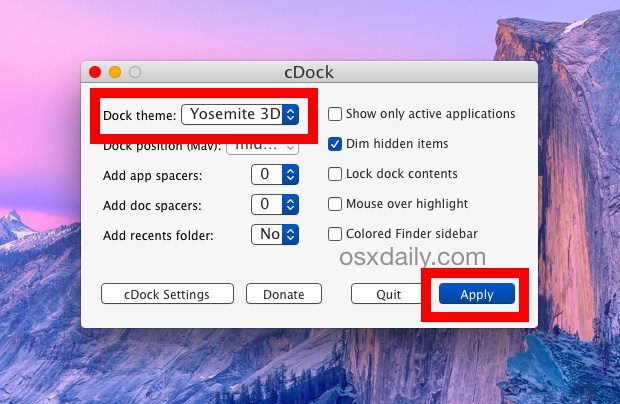
3. Click the “Dock theme:” submenu and choose “Yosemite 3D”, then click on “Apply”
4. The Dock will refresh and magically turn 3D again


You can also choose a transparent dock.